Pages

Tuesday, 29 June 2010

Life Drawings (Body 169 - 170)

Last night's life drawings. Trying to work on my construction and form in my line work. Moving home tomorrow, so I may be offline for a few days..

Monday, 28 June 2010

Self Portrait 2

Okay, so here is my next attempt at a self portrait in acrylics. These paints dry faster than you can blink. I find it almost impossible to blend, so it's actually quite interesting to do poster studies with them. I'm going to hunt around the art shops in Cardiff for some acrylic drying time extender, because coupled with the summer weather we're having and the notorious drying time, it makes it challenging to paint with.. not complaining in the least though!

Added some cast shadow at the end, so this kind of messed the whole thing up, I'm pretty glad I made this mistake, and learnt so much just from this study alone, how to fix things in particular, colour matching, a bit of edges too, so it's all good stuff.

Anyways.. one of my more embarrassing pieces.. lols..

Saturday, 26 June 2010

21 - 26th June - This Week's Studies

Okay, so here are this week's studies. I really need to hammer the construction, form, and proportion.. these are the main things I'm being critiqued on by people, so... time to get out the pencil and the beer and haul some ass!


Tuesday, 22 June 2010

Life Drawing (Body 151 - 154)

Some more life drawings, focusing on things which people have critiqued me on in the past, all the basics for example - gesture, blocking in, mapping, shading and contour.. Enjoy!


Monday, 21 June 2010

Life Drawing (Body 148 - 150)

Some life drawing.. me fooling around with the pencil basically. =)


Abomination (digital painting)

Who is the monster?

Body 139 - 147

A selection of body studies...


Wednesday, 16 June 2010

Head Sculpt 8 - Final


Okay, so finished this head after about a week and half's worth of work..
Here are the links, so you can see my progress from last week until now, on my Deviant Art page -

1. Blocking in the Head
2. Blocking in the Head, part 2
3. The Mouth
4. Eyes
5. Nose
6. Neck and Adam's Apple
7. The Ear
8. Final Sculpture of the Head

The basic process started with two reference images, a front and a side view. Create a polygon cube, 8 segments high and wide. Shift the vertices and create edge loops and match up the overall shape of the head.

Add more edge loops for more and more detail. Move the vertices to create the shapes of the eyes, nose, mouth and all other parts of the face and neck.

I'm still not really happy with this head, but it's in a somewhat finished state. I would need to spend some more time now to add polish to it and to refine things a little better.

Next, I'm considering maybe doing the body or something along those lines..

Thank you and keep well.
Edward

Life Drawings (Body 131 - 138)

Okay, been on this quest to do 10,000 life drawings by the time I get to third year Uni. I'm barely at 1000... so there's a long way to go. These are 3 - 5 minute drawings, and one 30 minute drawing. Strange thing is I spent most of the time figuring out how to approach the drawing.
When I looked over at what other people were drawing, they were already finishing these wonderful charcoal and pencil drawings, all fully shaded. I feel way rusty.. anyway..

Saturday, 12 June 2010

Colour Study - Venus of Urboni (Titian)

*shudder* Another colour study, shows how bad my colour observation is...

It's interesting to note how dark some greens are, and when mixing them how dark you really have to make them before they actually become dark.

Reds are ergh... they are so difficult to pin down in terms of colour because the colour literally blinds you from its value..

Yellows are fairly-ish easy to mix, although not easy by any means.

Blues can be difficult sometimes, especially with intensity.

Anyways.. on the long road to looking at colour..

Thursday, 10 June 2010

Brea (drawing)


Okay, as a request from my friend Finlay (http://crankytoons.blogspot.com/), here is the drawing of Brea.. enjoy and thank you for looking...

Wednesday, 9 June 2010

Head Sculpt 7 - The Ear


Oh boy.. I'm exhausted.. but it's done...

Head sculpt 7, The Ear, one of the most difficult parts to make...

The process is to create a basic shape for the ear like a rectangular cube of sorts, and rotate it to the proper angle (reference is essential).

Btw, the rectanglar cube thing is extruded out of the side of the head. That side is basically a merged face of poly's, on the side of the head.

This rectangle is then extruded outward to give a basic block in for the ear shape.

To this, the Polygon Split Tool (Maya) or Cut Tool (in 3DS Max) is used to almost "cookie cutter" the shapes of the ear.

Be careful not to create tris when you do this, it is important to keep things clean and have four sided poly's as much as you can keep it.

Shapes cut out include all the inner parts of the ear, as well as the flappy outer part of the ear.

The flappy part of the ear is then modeled from the vertices which were cookie cuttered.

The inner part of the ear is then extruded and moved downward into the ear, scaled down, and rotated, naturally trying to follow the curves of the ear as it spirals much like a funnel into the side of the head, where the ear drum is.

Any questions, feel free to ask...

Head Sculpt with Edge Loops - Adam's Apple (using Maya, part 6)

Head sculpt 6, the Adam's Apple as well as where the cheek bone protrudes are sculpted in..

Edge loops are added to show extra detail, and to remove detail, edges are removed using the Loop Tool (both 3DS Max and Maya have this) to select, and then using the Remove Edges Tool (Maya, it's just called Remove in 3DS Max).

Any questions, feel free to ask away...
 

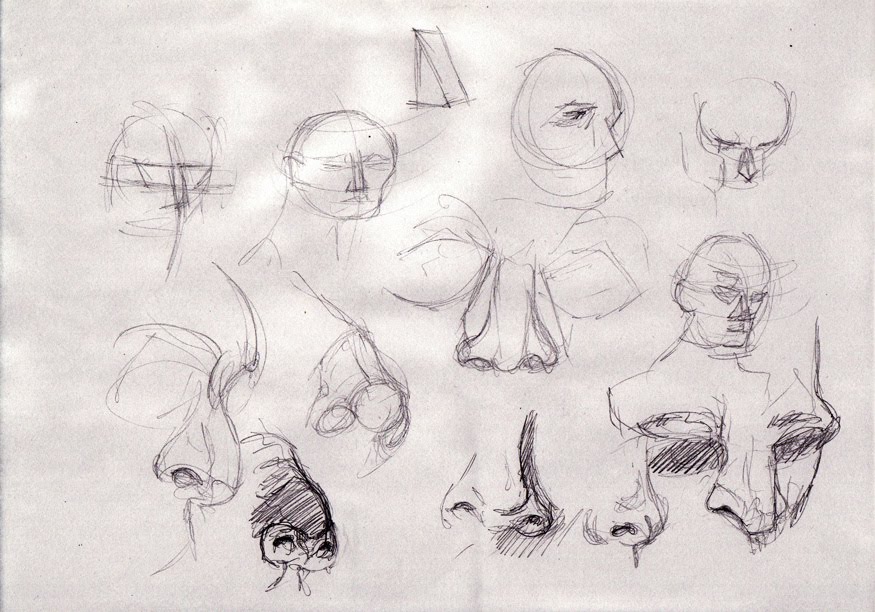
Head Sculpt 5 - Nose

Head sculpt 5, the nose, okay so here the nose was extruded from one of the poly's, this face is then extruded subtly downward a few times (twice I think) and then the vertices are arranged to create the shell of the nose.

The underside of the nose, to create the nostrils, some faces were merged, and then this merged face is extruded upward several times to create the interior of the nose.

Scaling and shifting the vertices around creates a natural look.

Any questions, feel free to ask..

Tuesday, 8 June 2010

Head Sculpt 4 - The Eyes

Here is the eye, I'm not quite happy with the eyelid but fiddling with it only made it worse.
Rule of thumb, add more edge loops for finer detail but be careful of how spaced out they are.

Also used the Split Polygon Tool (in Maya) to add folds near the corners of the eye. If you're using 3DS Max, the Cut Tool does the same thing.
Inner parts of the eye (hidden from view) are folded back, to create a seamless edge between the eyeball and the socket. The lacrimal caruncle (little ball of the eye on the left) and the lacrimal fold (stretchy bit near the tear duct) were roughed in.

I'll be coming back to this later to punch out the design of the eye much better.
Any questions, feel free to ask..
 

Head Sculpt with Edge Loops - The Mouth and Lips (using Maya, part 3)

Added edge loops for around the mouth area and lips and began adjusting the vertices to sculpt the mouth and lips.

Any questions then feel free to ask..

Head Sculpt with Edge Loops (using Maya, part 2)

Going to make a fully clothed character in Maya, starting with the head.

One of my objectives is to learn how edge loops are made, so today I got them to flow perfectly around the head, and although the actual shape of the head is rubbish, the loops are nice which minimises the tris.